Day 20 of 20 · Week 4: Governance
Capstone: the reference architecture
Twenty days in one picture. A reference architecture for Intune RBAC, from break-glass accounts to the Tier 1 help desk, with the day that covers each piece.
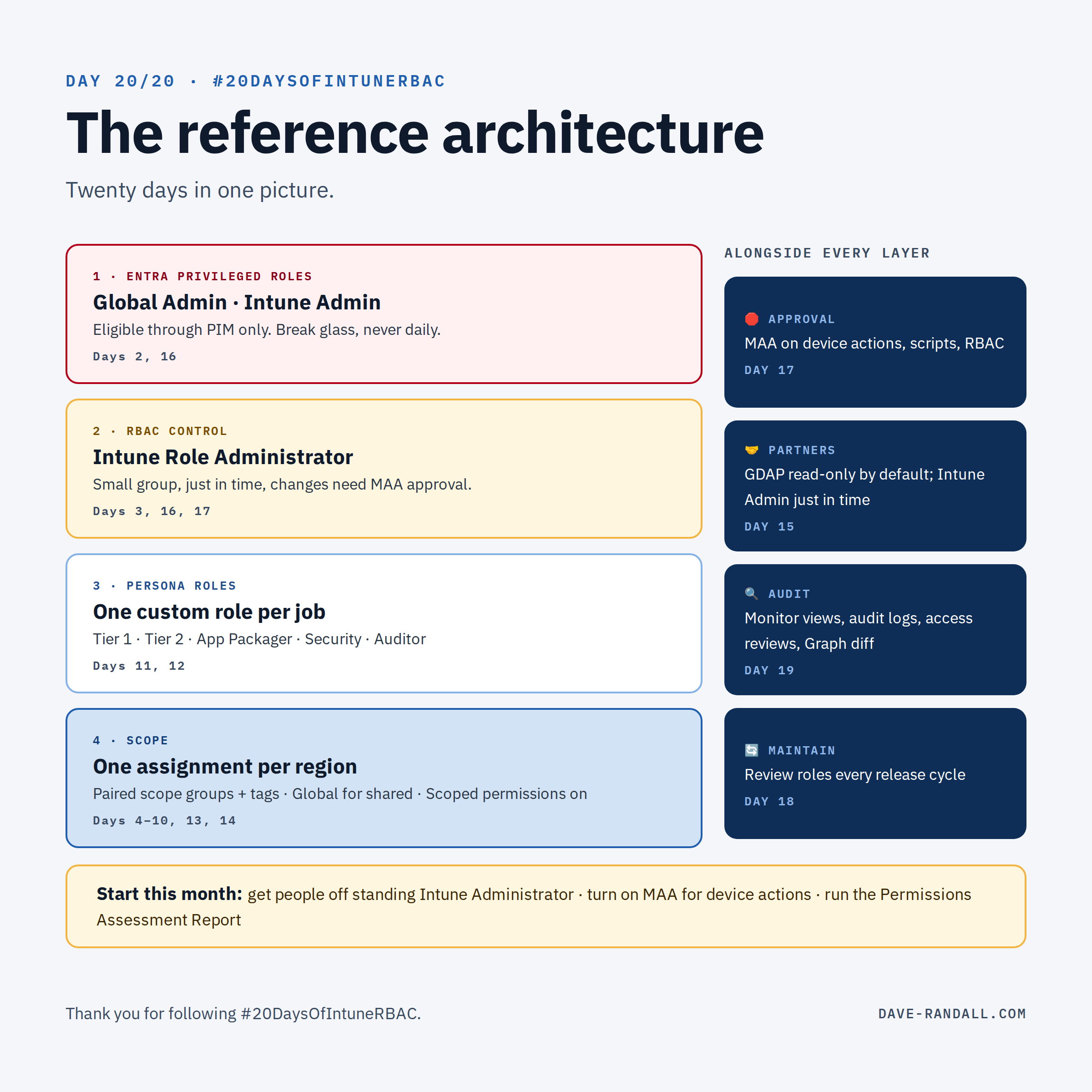
Twenty days ago I said this series would build from the basics to a design you could defend. Here’s that design in one place, with the day that covers each piece.
The layers
1. Entra privileged roles: break glass, not daily work
- Global Administrator and Intune Administrator are for emergencies and the few tasks that truly require them, like managing scope tags (Days 2, 7).
- Nobody holds them standing. Make them eligible through PIM (Day 16), and keep your break-glass accounts separate and monitored.
2. RBAC control: who can change the rules
- Intune Role Administrator is the keys to the kingdom: it controls everyone else’s access (Day 3).
- Small group, just-in-time (Day 16), and changes to roles and assignments protected by a Multi Admin Approval Role policy (Day 17).
3. Persona roles: what each job can do
- One custom role per persona, built from a written task list and trimmed from the closest built-in role (Days 11, 12).
- A typical set: Help Desk – Tier 1, Help Desk – Tier 2, App Packager, Policy Manager, Security Analyst, Auditor.
- Destructive actions (Wipe, Retire, Delete) live in Tier 2 only, behind JIT or MAA.
4. Scope: where each team can act
- One assignment per role, per region or business unit (Days 4, 13).
- Scope groups and scope tags planned as pairs (Days 6, 7, 9), with devices tagged through dynamic groups (Day 8).
- Shared content tagged Global; Default kept for central IT only (Day 10).
- Scoped permissions turned on, after a clean Permissions Assessment Report (Days 7, 14).
The rails that run alongside
- 🛑 Approval: Multi Admin Approval on Device actions, Scripts, and Role-based access control at a minimum (Day 17).
- 🤝 Partners: GDAP with read-only roles by default, Intune Administrator only just in time, and a regular review with the customer (Day 15).
- 🔍 Audit: Monitor views, audit logs exported to Azure Monitor, quarterly access reviews, and a weekly Graph diff against your baseline (Day 19).
- 🔄 Maintenance: review built-in and custom roles every release cycle (Day 18).
Where to start
You don’t have to build all of this at once. If you do three things this month:
- Get people off standing Intune Administrator & Global Administrator. Move daily work to built-in or custom roles, and make the rest eligible through PIM.
- Turn on MAA for device actions. It’s the fastest protection against the worst day.
- Run the Permissions Assessment Report. Then fix what it finds, or turn on Scoped permissions.
The whole series
| Week | Days |
|---|---|
| 1 · Foundations | 1 The series · 2 Two permission planes · 3 Built-in roles · 4 Role vs. assignment · 5 Anatomy of a permission |
| 2 · Scoping | 6 Members vs. scope groups · 7 Scope tags · 8 Tagging devices · 9 Groups vs. tags · 10 The Default tag |
| 3 · Design patterns | 11 Custom roles · 12 Personas · 13 Regional delegation · 14 The merge problem · 15 Partners and MSPs |
| 4 · Governance | 16 Just-in-time · 17 Multi Admin Approval · 18 RBAC keeps expanding · 19 Audit and automate · 20 This page |
Plus the Intune RBAC permission reference, which will keep tracking new permissions as they ship.
Thank you
Thanks for following along for 20 days. If this series helped you clean up a tenant, or start a conversation with a partner or a customer, I’d love to hear about it on LinkedIn.
Further reading
- Role-based access control with Microsoft Intune, Microsoft Learn
- Use RBAC and scope tags for distributed IT, Microsoft Learn
- Use Multi Admin Approval in Intune, Microsoft Learn
- Privileged Identity Management (PIM) for Groups, Microsoft Learn