Day 9 of 20 · Week 2: Scoping
Scope groups vs. scope tags
Scope groups are about targeting. Scope tags are about visibility. You need both for an admin to see a policy and deploy it where it belongs.
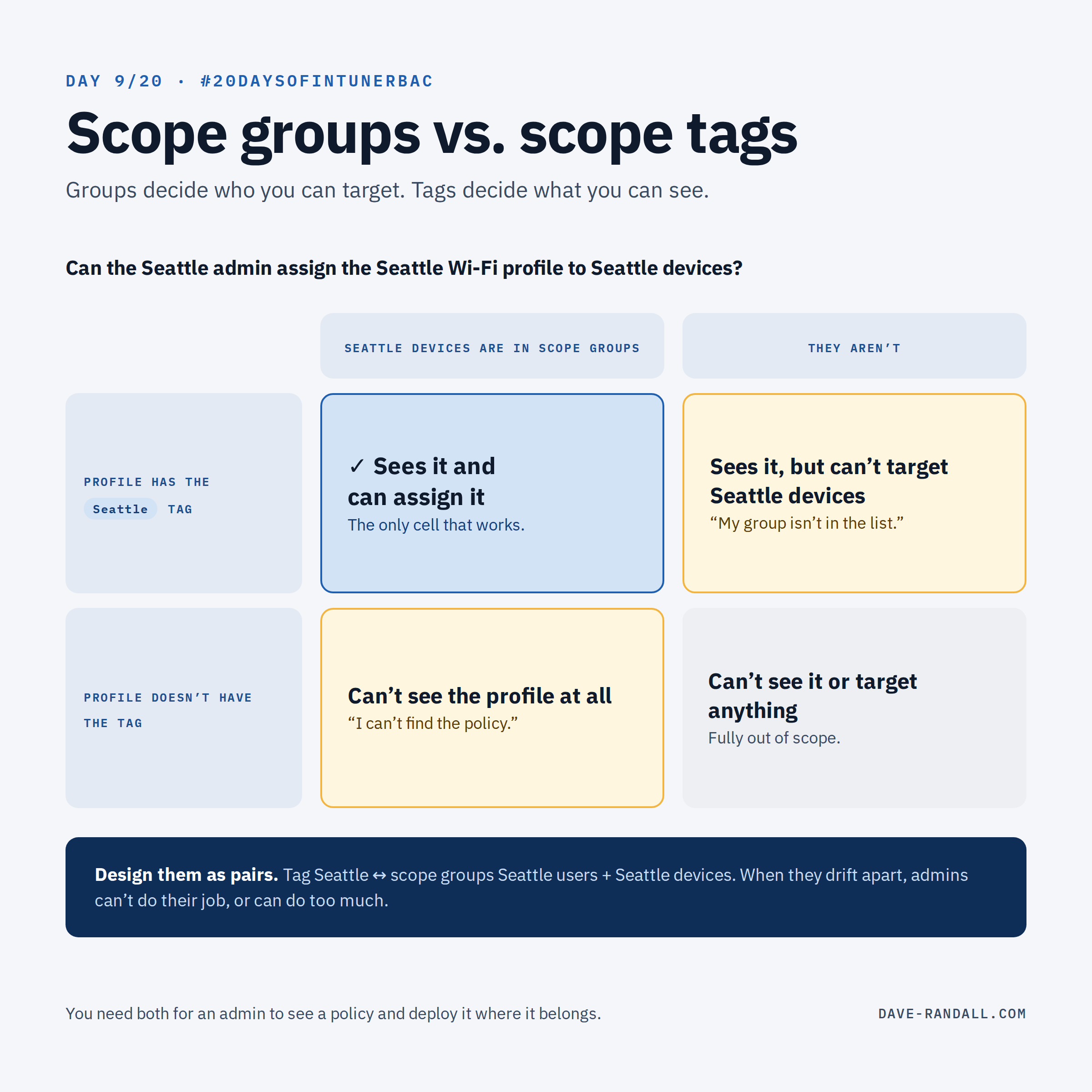
This is the one that trips up almost everyone. Both settings are part of the same role assignment, and both sound like “scope.” But they do very different jobs.
One sentence each
- Scope groups decide who you can target: the users and devices you can assign policies and apps to.
- Scope tags decide what you can see: which Intune objects and devices show up for you at all.
You need both!
Put them together
Question: can the Seattle admin assign the Seattle Wi-Fi profile to the Seattle devices?
| Seattle devices are in the admin’s scope groups | They aren’t | |
|---|---|---|
| The profile has the Seattle tag | ✅ Sees the profile and can assign it | ⚠️ Sees the profile, but can’t target the Seattle devices |
| It doesn’t | ⚠️ Can’t see the profile at all | ❌ Can’t see it or target anything |
Only the top-left cell works. Each of the other three looks like a different “permissions bug,” which is why this gets so confusing in support tickets. None of them are, because scope tags aren’t a role permission.
Think of scope tags as a filter
In fact, it’s best to think of scope tags simply as a filter. They act a bit like object security, but they aren’t a strict security feature. What an admin can actually do still comes from the permissions in their role.
Symptoms and their real cause
| What the admin says | Usually means |
|---|---|
| “I can’t find the policy.” | The policy doesn’t carry a tag from their assignment. |
| “I can see it, but my group isn’t in the list when I assign.” | The group isn’t in their scope groups. |
| “Assignment fails when I add an exclude group.” | The exclude group isn’t inside their scope groups. |
| “I can’t see the device.” | The device doesn’t carry their tag (check the tag’s group assignments from Day 8). |
Design them together
Scope groups and scope tags usually follow the same boundaries (a region, a business unit, a customer), so plan them as pairs:
- Tag Seattle ↔ scope groups Seattle users, Seattle devices
- Tag Paris ↔ scope groups Paris users, Paris devices
When they drift apart, admins either can’t do their job or can do more than you intended.
Try it
Pick one regional assignment and write down its scope groups and scope tags side by side. Do they describe the same slice of your organization?
Tomorrow: the Default tag, and the gotcha I promised on Day 1.
Further reading
- Use RBAC and scope tags for distributed IT, Microsoft Learn
- About Intune role assignments, Microsoft Learn