Day 10 of 20 · Week 2: Scoping
The Default tag gotcha
"Default" doesn't mean "nothing." It means every untagged object in your tenant. Here's how it leaks access, and a step-by-step way to avoid it.
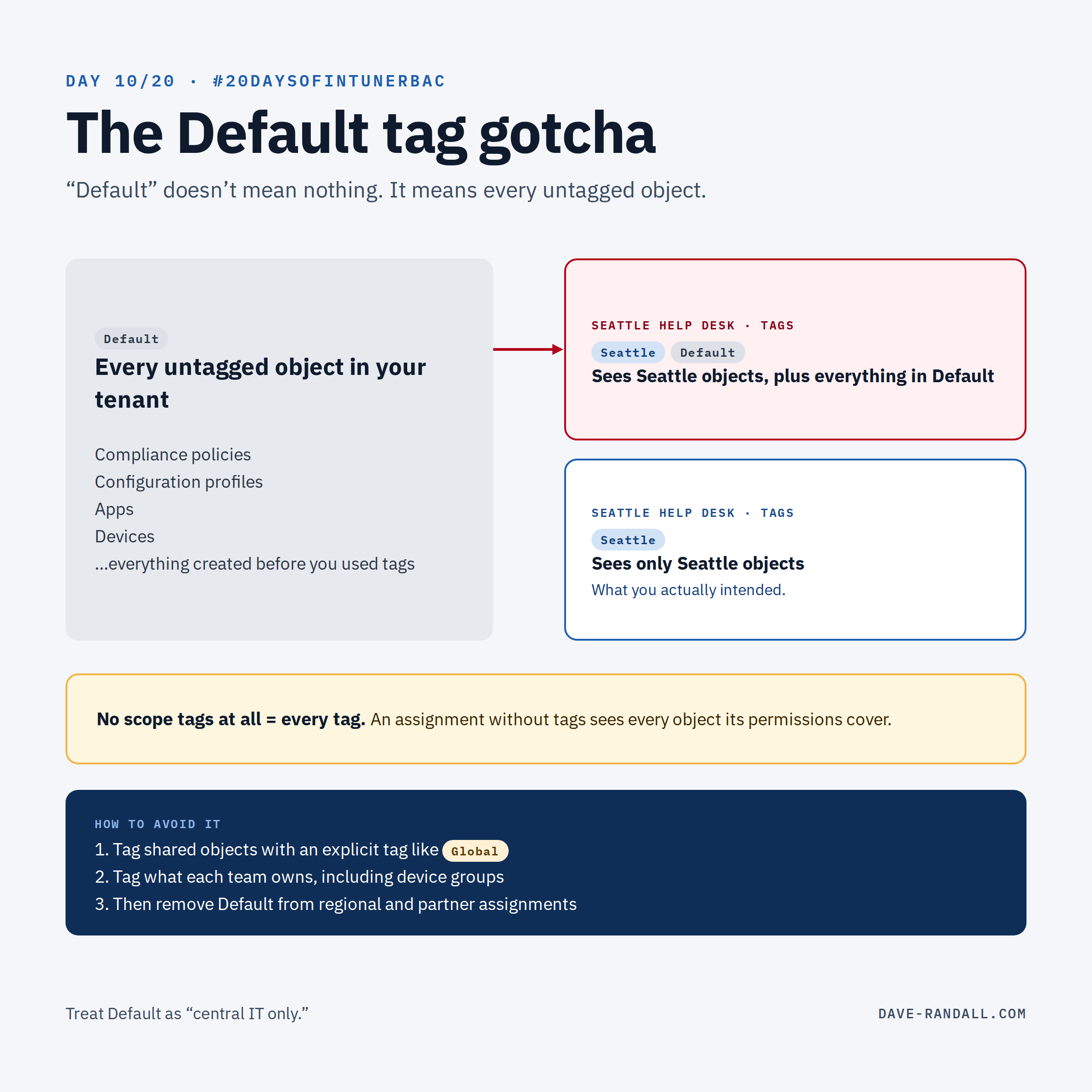
On Day 1, I promised one scoping gotcha and how to avoid it. This is it.
What Default really means
Microsoft’s docs: “The default scope tag is automatically added to all untagged objects that support scope tags.”
In a tenant that’s been running for a while without scope tags, that’s almost everything: every profile, policy, app, and device created before anyone thought about tags. So Default doesn’t mean “nothing.” It’s the biggest tag you have.
How it leaks access
- Default on a regional assignment. Give the Seattle help desk an assignment with the tags Seattle and Default, and they see Seattle’s objects plus every untagged object in the tenant.
- No tags at all. An assignment with no scope tags is even broader. Microsoft: “If a role assignment has no scope tag, that IT admin can see all objects based on the IT admins permissions. Admins that have no scope tags essentially have all scope tags.”
- Tags spread on creation. When an admin creates an object, all of their tags are added to it. If a central admin’s assignment includes Default and Seattle, everything they create is tagged both and stays visible to every Default holder.
The fix, step by step
1. Find out who holds Default. Under Tenant administration › Roles › All roles, open each role’s Assignments and note every assignment whose scope tags include Default, or that has none at all.
2. Decide what Default should mean. Treat it as “central IT only.” Regional and partner assignments shouldn’t carry it.
3. Create explicit tags for shared objects. For things every region legitimately needs to see (a company-wide baseline, a common app), create a tag like Global and add it to those objects, instead of relying on Default.
4. Tag what each team owns. Add the regional tags to their policies and apps, and assign the regional tags to device groups (Day 8).
5. Remove Default from the regional assignments. Do this last, after their objects carry the right tags, so nobody suddenly loses sight of something they manage. Check with the affected admins after the change.
6. Keep it clean. Make sure admins who create shared content only have the tags it should carry. Review assignments for Default (or no tags) as part of your regular access reviews (Week 4).
Try it
Do step 1 today. The number of assignments that include Default, or no tags at all, is a good measure of how much of your tenant is really scoped.
That’s a wrap on Week 2: Scoping. 🎉 Next week is design patterns, starting with what happens when one admin has several role assignments with different tags. It’s not what most people expect. I mentioned this earlier this week (Day 7: Scoped permissions), and we’ll cover more about scoped permissions next week.
Further reading
- Use RBAC and scope tags for distributed IT, Microsoft Learn
- Intune RBAC permission reference, dave-randall.com