Day 12 of 20 · Week 3: Design patterns
Persona-based design
Design roles around the jobs people actually do, not the people doing them. Four steps take you from a persona to a role you can defend.
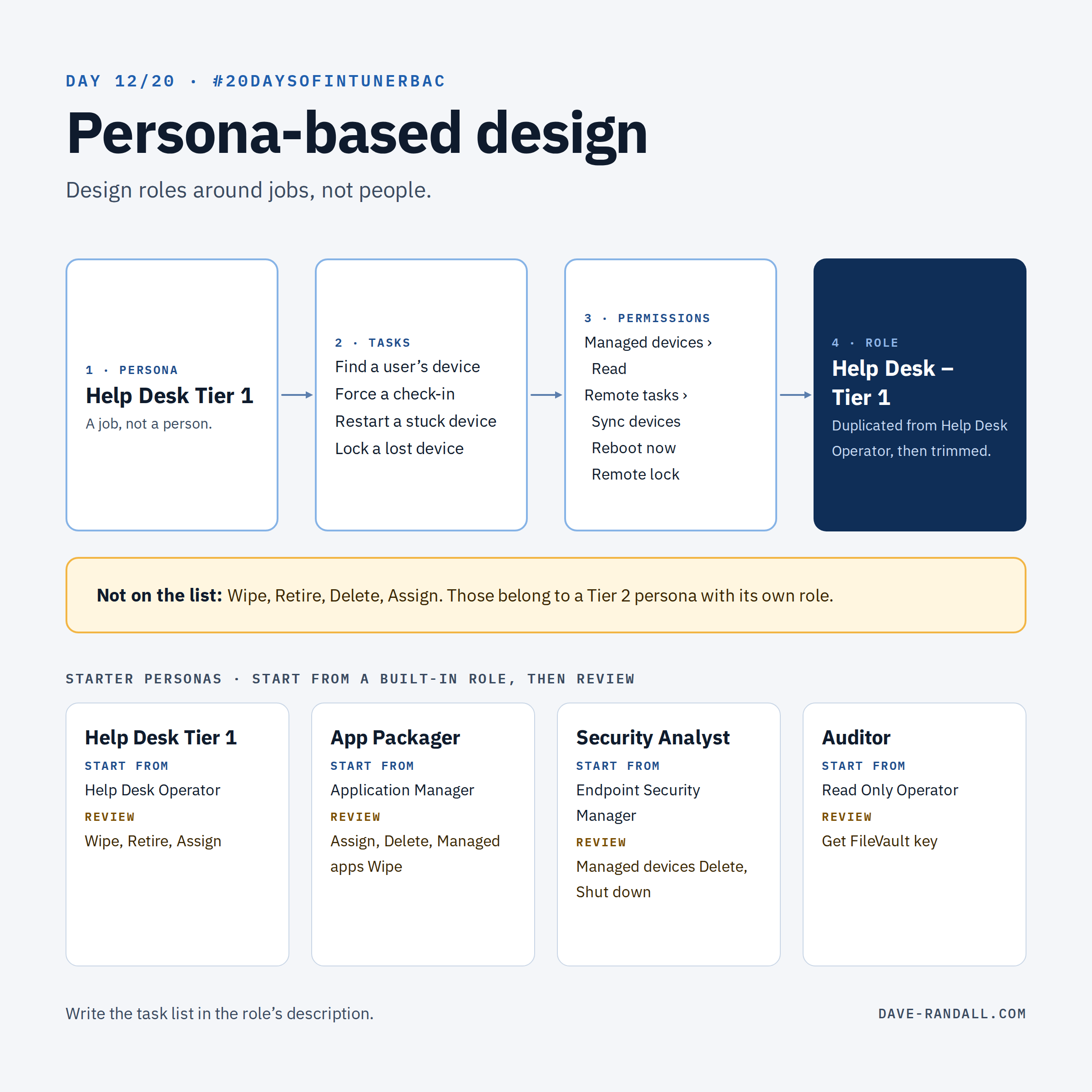
Yesterday was how to build a custom role. Today is what to put in it.
The most common RBAC mistake I see isn’t a wrong permission. It’s designing roles around people (“Give Sam what Pat has”) instead of jobs. People change teams. Jobs stay pretty stable.
Four steps from persona to role
1. Name the persona. A job, not a person: Help Desk Tier 1, App Packager, Security Analyst, Auditor.
2. List the tasks. Write down what that persona actually does in Intune in a normal week. Ask the people doing the job, and check your ticket history. Be specific: “restart a device,” not “support devices.”
3. Map tasks to permissions. Each task becomes one or more category + action pairs (Day 5). Use the permission reference and watch for the dependencies from Day 11.
4. Pick the closest built-in role, then trim. If a built-in role matches, use it. If it grants more than the task list, duplicate it and remove the extras.
Worked example: Help Desk Tier 1
| Task | Permission |
|---|---|
| Find the user’s device and check its details | Managed devices › Read |
| Force a check-in | Remote tasks › Sync devices |
| Restart a stuck device | Remote tasks › Reboot now |
| Lock a lost device | Remote tasks › Remote lock |
| See which apps and policies are assigned | Mobile apps › Read, Device configurations › Read |
Notice what’s not on the list: Wipe, Retire, Delete, and any Assign. Those belong to a Tier 2 persona with its own role, and maybe its own approval process (Week 4).
Starter personas
| Persona | Closest built-in role | Worth reviewing before you use it |
|---|---|---|
| 🧑💻 Help Desk Tier 1 | Help Desk Operator | Remote tasks › Wipe and Retire, Managed apps › Wipe, and the Assign actions for apps |
| 📦 App Packager | Application Manager | Assign (if another team deploys), Mobile apps › Delete, and Managed apps › Wipe |
| 🛡️ Security Analyst | Endpoint Security Manager | Managed devices › Delete and remote tasks like Shut down. Still a far better fit than Intune Administrator |
| 👀 Auditor | Read Only Operator | Get FileVault key, if they truly shouldn’t see secrets (Day 5) |
Each of these comes straight from Microsoft’s built-in role reference. Built-in roles carry more than their names suggest.
These are starting points, not answers. Your task lists decide.
Keep it small
- Fewer, well-named roles beat many one-offs. If two personas differ by one permission, ask whether they’re really different jobs.
- One persona, one role. Avoid building “combo” roles for people who wear two hats. Give them two role assignments instead. (Thursday covers what happens when you do that.)
- Write the task list down in the role’s description. In a year, nobody will remember why a permission is there.
Try it
Pick one team and write its persona card: name, five to ten tasks, and the permissions they map to. Compare it with the role they have today.
Tomorrow: delegating by region or business unit, where personas meet scope.
Further reading
- Role-based access control with Microsoft Intune, Microsoft Learn
- Built-in role permissions for Microsoft Intune, Microsoft Learn
- Create a custom role in Intune, Microsoft Learn
- Intune RBAC permission reference, dave-randall.com