Day 2 of 20 · Week 1: Foundations
Two permission planes
Is Intune Administrator an Intune role? It isn't. It's a Microsoft Entra role, and that difference matters a lot.
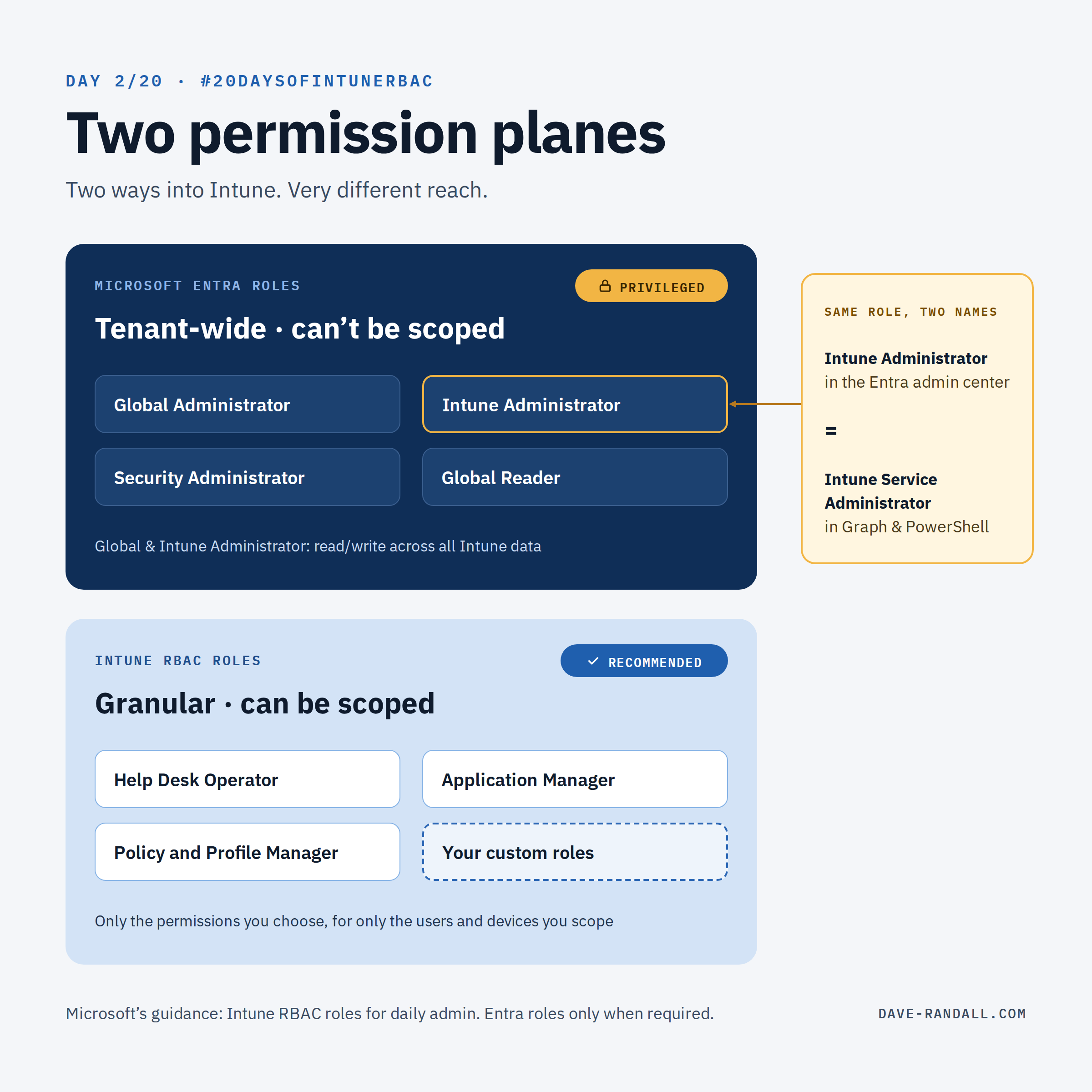
Is Intune Administrator an Intune role? It isn’t. It’s a Microsoft Entra role! That difference matters a lot.
There are two ways someone can get access to Intune, and they behave very differently.
Plane 1: Microsoft Entra roles
Global Administrator, Intune Administrator, Security Administrator, Global Reader, and others. These are tenant-wide roles. Global Administrator and Intune Administrator both get full permissions across all your Intune data and can call any Intune remote action. Both are classified as privileged roles, and neither can be limited to part of your Intune data, devices, or users.
Intune RBAC is an extension of Microsoft Entra ID RBAC, and several Entra roles carry permissions inside Intune:
| Entra role | Intune data | Intune audit data |
|---|---|---|
| Global Administrator | Read/write | Read/write |
| Intune Administrator | Read/write | Read/write |
| Security Administrator | Read only (full admin for the Endpoint security node) | Read only |
| Security Operator | Read only | Read only |
| Security Reader | Read only | Read only |
| Global Reader | Read only | Read only |
| Helpdesk Administrator | Read only | Read only |
| Compliance Administrator | None | Read only |
| Compliance Data Administrator | None | Read only |
| Reports Reader | None | Read only |
| Conditional Access Administrator | None | None |
Source: Microsoft Learn’s RBAC overview. Most of these are classified as privileged roles in Entra.
Plane 2: Intune RBAC roles
Help Desk Operator, Application Manager, Policy and Profile Manager, custom roles, and others. These are granular. You choose exactly which permissions they include, and you can limit which users and devices they apply to. That second part, scoping, is what Week 2 is about.
My recommendation
Use Intune RBAC roles for everyday administration, and avoid using Entra roles for Intune work. This applies to organizations of all sizes. Microsoft’s guidance says the same, and adds specifics:
- Don’t use Global Administrator for Intune work. A few features still require it (some mobile threat defense connectors, for example). Grant it for that task, then remove it.
- Don’t use Intune Administrator for routine work either. It’s narrower than Global Administrator but still far more than almost any daily task needs. When it is required, make it time-bound. Week 4 covers doing that with Privileged Identity Management (PIM).
Two things that confuse people
Same role, two names. In the Entra admin center the role is Intune Administrator. In Microsoft Graph and PowerShell it shows up as Intune Service Administrator. If you’re auditing role holders with a script, search for both names.
Some of “Intune” is really Entra. Users, Groups, and Conditional Access in the Intune console are actually Entra objects. Those stay governed by Entra, even when you’re working in Intune, so Entra admins with the right roles can manage them regardless of your Intune RBAC design.
Quick check for today
How many people in your tenant are assigned Intune Administrator or Global Administrator? Is every one of them justified?
- In the Microsoft Entra admin center, go to Roles & admins and open each role to see its assignments.
- Then go to Entra ID > Identity Secure Score. Two of its recommendations are aimed squarely at this: Use least privileged administrative roles and Designate more than one Global Administrator. They’ll point you to accounts holding more privilege than they need.
Tomorrow: the built-in Intune roles, and which job each one is designed for.
Further reading
- Microsoft Entra roles with Intune access, Microsoft Learn
- Privileged roles and permissions in Microsoft Entra ID, Microsoft Learn
- What is the Identity Secure Score?, Microsoft Learn