Day 3 of 20 · Week 1: Foundations
The built-in roles
Intune has ten built-in RBAC roles, each designed for a specific job. How many are you actually using?
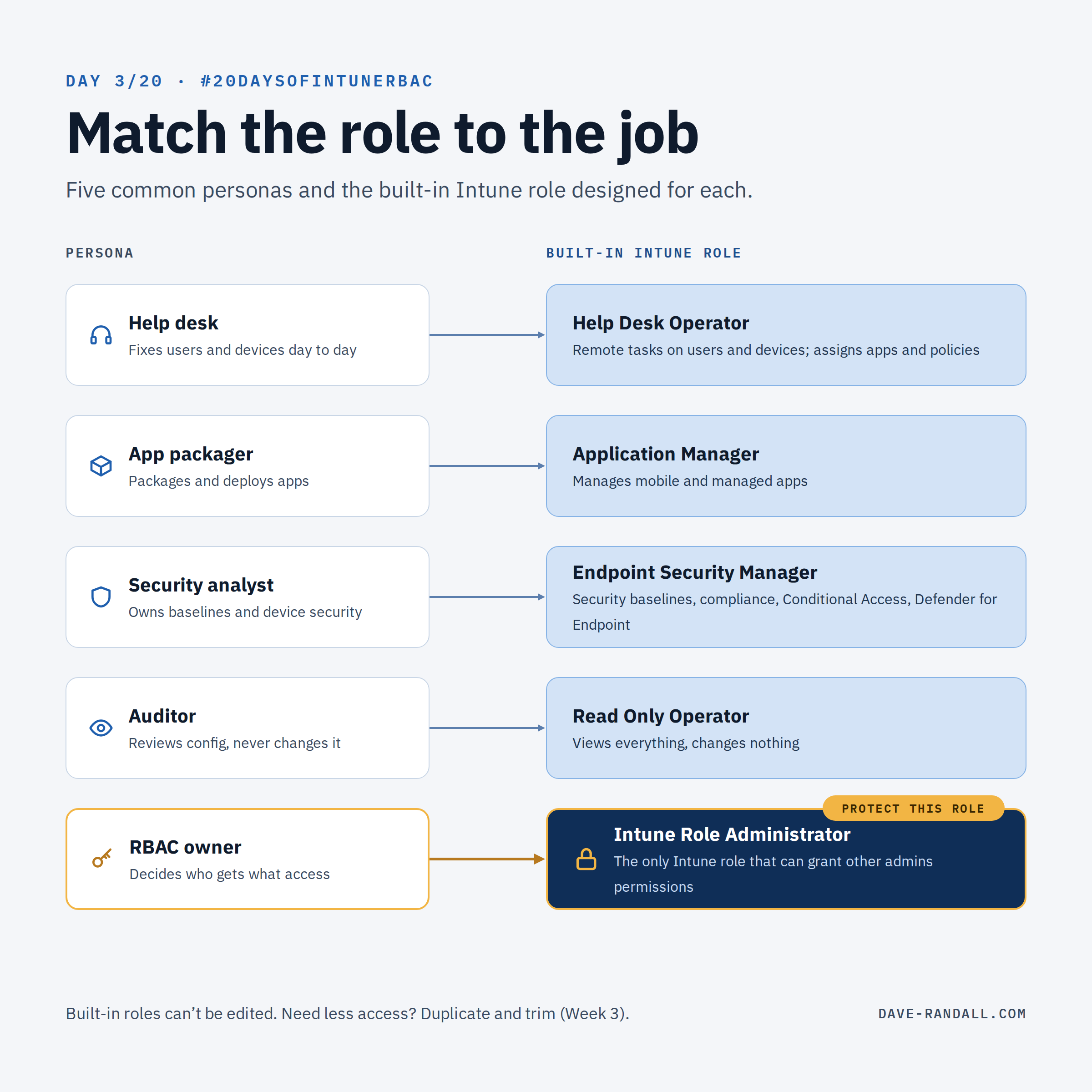
Intune has ten built-in RBAC roles. How many are you actually using?
Built-in roles are the same in every tenant, and Microsoft maintains their permissions for you. Each one is designed for a specific job.
The built-in roles
| Role | Built for | Worth knowing |
|---|---|---|
| 👩💻 Help Desk Operator | Remote tasks on users and devices, plus assigning apps and policies | Includes Wipe and Retire. If your tier 1 shouldn’t wipe devices, this role is too broad as-is. |
| 📦 Application Manager | Managing mobile and managed apps | Can assign apps, so it can put software on devices in its scope. |
| ⚙️ Policy and Profile Manager | Compliance policies, configuration profiles, Apple enrollment, security baselines | Can assign configuration and compliance, which shapes every device in scope. |
| 🛡️ Endpoint Security Manager | Security baselines, compliance, Conditional Access, Defender for Endpoint | The natural home for your security team instead of Intune Administrator. |
| 🔑 Endpoint Privilege Manager / Endpoint Privilege Reader | Managing or viewing Endpoint Privilege Management policies | Controls who can run elevated on managed devices. |
| 👀 Read Only Operator | Sees everything, changes nothing | Not purely read-only: it includes the Get FileVault key remote task. More on Day 5. |
| 🏫 School Administrator | Intune for Education scenarios | Includes remote lock, restart, and retire for its groups. |
| 👯 Multi Admin Approval Policy Manager | Managing or viewing Multi Admin Approval access policies and assignments | Week 4 covers Multi Admin Approval. |
| 🧩 Intune Role Administrator | Managing custom roles and role assignments | The only Intune role that can assign permissions to other administrators. |
If you use Windows 365, you’ll also see Cloud PC Administrator and Cloud PC Reader.
Protect Intune Role Administrator
That last role deserves special attention. Intune Role Administrator is the only Intune role that can assign permissions to other administrators. Whoever holds it effectively controls everyone else’s access, so protect it: keep the group small, require phishing-resistant MFA, and consider making membership just-in-time (Week 4).
Two notes
You can’t edit built-in roles. If one gives too much access, duplicate it and trim the copy:
- In the Intune admin center, go to Tenant administration > Roles > All roles.
- Select the … at the end of the role’s row, then Duplicate.
- Give the copy a clear name, like Help Desk – Tier 1 (no wipe), and remove what it doesn’t need.
Week 3 goes deeper on custom role design.
A built-in role is a starting point, not a perfect fit. Start with the closest match, then refine. From customer conversations, I know many of you are using standard built-in roles. I strongly encourage you to review the actual permissions needed for the job and create a slimmed-down version as a new custom role.
Which built-in role do you rely on most? Tell me on LinkedIn.
Further reading
- Built-in role permissions for Microsoft Intune, Microsoft Learn
- Create a custom role in Intune, Microsoft Learn
- Use Multi Admin Approval in Intune, Microsoft Learn