Day 2 of 19 · Part 1: Foundations
App registration and permission models
The first gate to automating Intune with Graph is authentication, and that means choosing between delegated and application permissions.
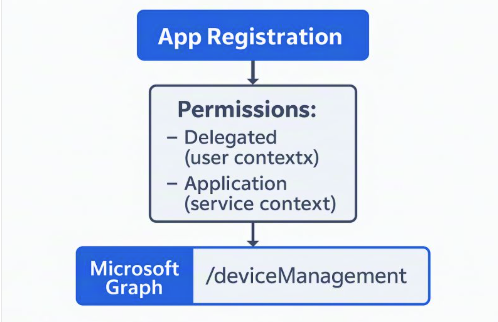
If you want to automate Intune with Graph, the first gate is authentication, and that means understanding app registration and permission models in Microsoft Entra ID.
The two models
Delegated permissions. Your app acts on behalf of a signed-in user. Great for interactive scripts or tools where user context matters.
Application permissions. Your app runs headless, with no user. Perfect for scheduled jobs and integrations. Requires admin consent.
Why this matters
Choosing the right model affects both security and scalability. Avoid the “just give me .ReadWrite.All” trap and start with least privilege. For example:
| Scenario | Permission |
|---|---|
| Reporting | DeviceManagementManagedDevices.Read.All |
| Policy updates | DeviceManagementConfiguration.ReadWrite.All |
Quick tip: use Graph Explorer for delegated scenarios, and the client credentials flow for app-only automation.
What’s your top Intune automation use case? Tell me on LinkedIn.
Further reading
- Microsoft Graph permissions reference, Microsoft Learn